Music bingo has always had one annoying step: the printing. You pick the songs, generate the cards, and then somebody has to find a printer, hope there's ink, and cut up sheets of paper twenty minutes before guests arrive.
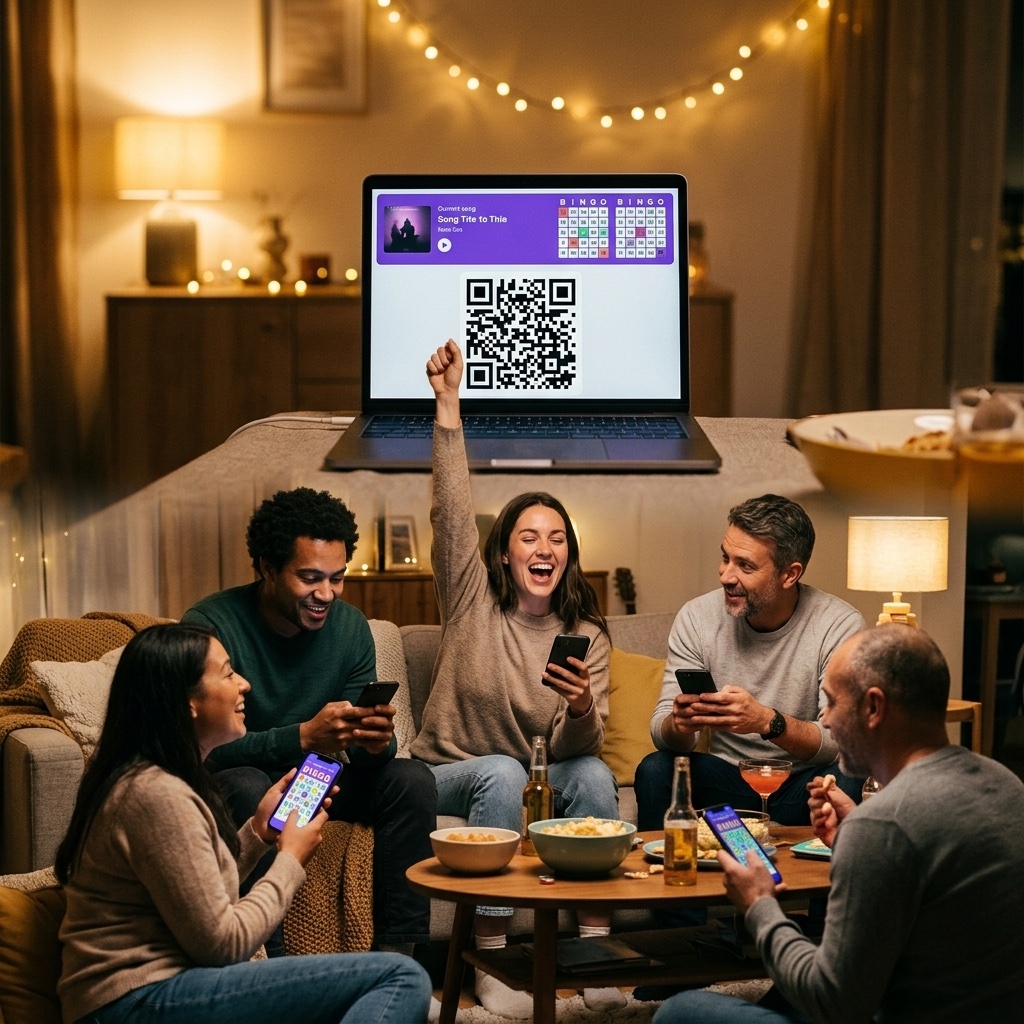
Not any more. BingoCreator now runs live multiplayer games. You share a link or hold up a QR code, everyone joins on their own phone, and you run the night from a host screen that shows exactly who is close to winning. Printing is still there if you want it — it's just no longer the only way to play.
How a live game works
The flow starts exactly where it always did. Build your song list, choose your card settings, generate the cards. The only new thing is a green Play button waiting for you on that final screen.
Build your song list
Import a Spotify playlist in one paste, or add tracks by hand. Then pick how many cards you want — anything from 1 to 70.
Press Play
On the generated cards screen, hit the green Play button. Your cards become a live game and you land on the host screen.
Share the game
Tap Show QR and hold your screen up to the room, or send the link through WhatsApp with one tap. Every game also gets a short code in ABC-123 format so you can read it out loud.
Players type a name
They open the link, type whatever name they want to be called, and a card is handed to them automatically. That's the whole sign-up.
Start the game and play the music
Press Start Game and put a song on. Tick each track on your playlist as it plays. Players tap the squares on their own cards as they hear them.
There's no "enter a code" box for players to hunt for — joining happens through the link itself. So put the QR on the big screen, or drop the link in the group chat before people even arrive. Latecomers can still join mid-game as long as there's a free card.
The host screen is the real upgrade
When you host a paper game, you have no idea what's happening on anyone's card until somebody shouts. The host screen changes that completely.
You get your song list, tappable, with each track struck through once you've played it. If a song came from Spotify, there's a play button right there — and opening it marks the song as called automatically. Below that is your player list: a progress bar for every person, how many squares they've marked out of their total, and a chip lighting up the moment someone hits a line or a full house.
There's also a leaderboard you can switch on or off. Some rooms love the competition; some rooms would rather not know. Your call, and you can flip it mid-game.
You approve every BINGO
This is the part we care about most. When a player completes a line or a full card, their screen shows the claim and tells them to wait for you. Nothing is decided automatically. On your side, a banner appears, and you approve or reject it.
To help you judge, the app cross-checks the player's marked songs against the songs you've actually ticked as played — and flags in red any square they've marked for a song that hasn't come up yet. Tap a player's name and you'll see the exact breakdown.
Worth being straight about what this is: the app shows you when something doesn't add up, it doesn't block the claim. The final word is yours — which is how it should be, because you're the one who knows that Dave genuinely did hear that song and just marked it late.
What you actually need
- No app downloads. Host and players all run in a normal phone browser.
- No accounts. No email, no password, not even for the host. Players just type a display name.
- Spotify is optional. It saves time if you have it, but a hand-typed song list works identically, and you can play the music from vinyl for all the app cares.
- One player per card. Generate 30 cards and up to 30 people can join. The ceiling is 70.
- Games stay open 24 hours. Close the tab, come back, same card.
Where this works best
House parties
No printer, no paper, no pens going missing. The QR goes on the TV and everyone's playing within a minute.
Bars and pub quizzes
Run a 40-card game and watch the progress bars fill up. The leaderboard on the big screen does a lot of work for you.
Weddings and birthdays
Build the playlist from songs that mean something to the couple. Guests join between courses without anyone handing out sheets.
Classrooms and offices
Everyone already has a phone in their pocket. Set it up in the time it takes to say "right, everyone scan this".
If you're new to the format entirely, our guide on how to play musical bingo covers the rules and pacing, and turning a Spotify playlist into a game walks through the song-picking side in more detail.
Frequently Asked Questions
Do players need to download an app or create an account?
No. They open the link in whatever browser is on their phone and type a display name. No download, no email, no password.
How many people can play at once?
One player per card, and you can generate up to 70 cards in a game — so up to 70 players. If every card is taken, the next person to open the link is told the game is full, so generate a few spare cards if you're unsure of numbers.
Do I need Spotify?
No. Spotify is a shortcut for building your song list, not a requirement. Add songs manually and play the music from anywhere you like.
Can someone join after the game has started?
Yes, as long as there's an unassigned card left. They'll get the next free one.
What if a player closes their browser?
They can reopen the same link and get their original card back with their marks intact, for up to 24 hours after the game was created.
Can I still print cards instead?
Absolutely. PDF printing hasn't gone anywhere — live games are an additional way to play, not a replacement.
Ready to Run Your First Live Game?
Pick your songs, generate the cards, and hit Play. Everyone joins from their phone in under a minute — free, no accounts, no printing.
Start a Live Music Bingo Game