Music bingo (Singo, if you learned it under that name) fills a slow Tuesday better than trivia because everyone can play it: no general knowledge, no phones out looking up answers, and the songs themselves do the entertaining. A table that stays for three rounds stays for three rounds of drinks.
What usually stops a bar is the setup: cards that all look the same, a spreadsheet nobody wants to maintain, or a platform that charges per game or per month. BingoCreator removes that part. Unlimited different cards, the host sheet, and a phone mode for guests who do not want paper, all free and with no account for the venue.
Set up this week's music bingo
Three rounds, unlimited cards, host sheet and QR mode. Free for venues, no subscription.
Create the cards for tonight No account needed. Sign in with Google only if you want to keep your round playlists.The night, step by step
Build three rounds
Three playlists of 15 to 20 songs each, one theme per round (a decade, a genre, guilty pleasures). Import each from Spotify or start from a ready-made list.
Print the cards and the host sheet
Generate one card per seat plus 20% spare, 2, 4 or 6 per page, and the host song list for each round. Two minutes at the printer for a 60-seat room.
Play, tick, verify
Play each song for 20 to 30 seconds, tick it on the host sheet, and check any bingo against the sheet. Line, two lines, full house: three prizes per round keep people at the table.
A format that repeats every week
- Three rounds, one theme each. 80s, 90s and "songs everyone pretends not to know" is a reliable opening week. The 80s and 90s lists are ready to load.
- Three prizes per round. First line, two lines, full house. A round of shots, a free starter, a bar tab: small prizes, called quickly, work better than one big one.
- Seasonal weeks. Halloween and Christmas nights sell out on their own; a wedding-songs round works for hen and stag groups.
- Same day, same time. The regulars are the business. Announce the theme of next week at the end of the last round.
Printing for a room
Cards print 2 per A4 for a normal table, 4 or 6 per page for a packed room; both stay readable from a seat. Generate one card per expected guest plus a spare batch, and keep the host song list for each round on a clipboard. Cards are single-use, so nobody can reuse last week's card, and a marker or a bottle cap per square is all players need.
The card styles print fine in black and white. If you print in colour, the darker presets look good on cheap paper and hide beer rings. A card costs a fraction of a cent to print, which is the whole economic argument for the night.
Phones instead of paper
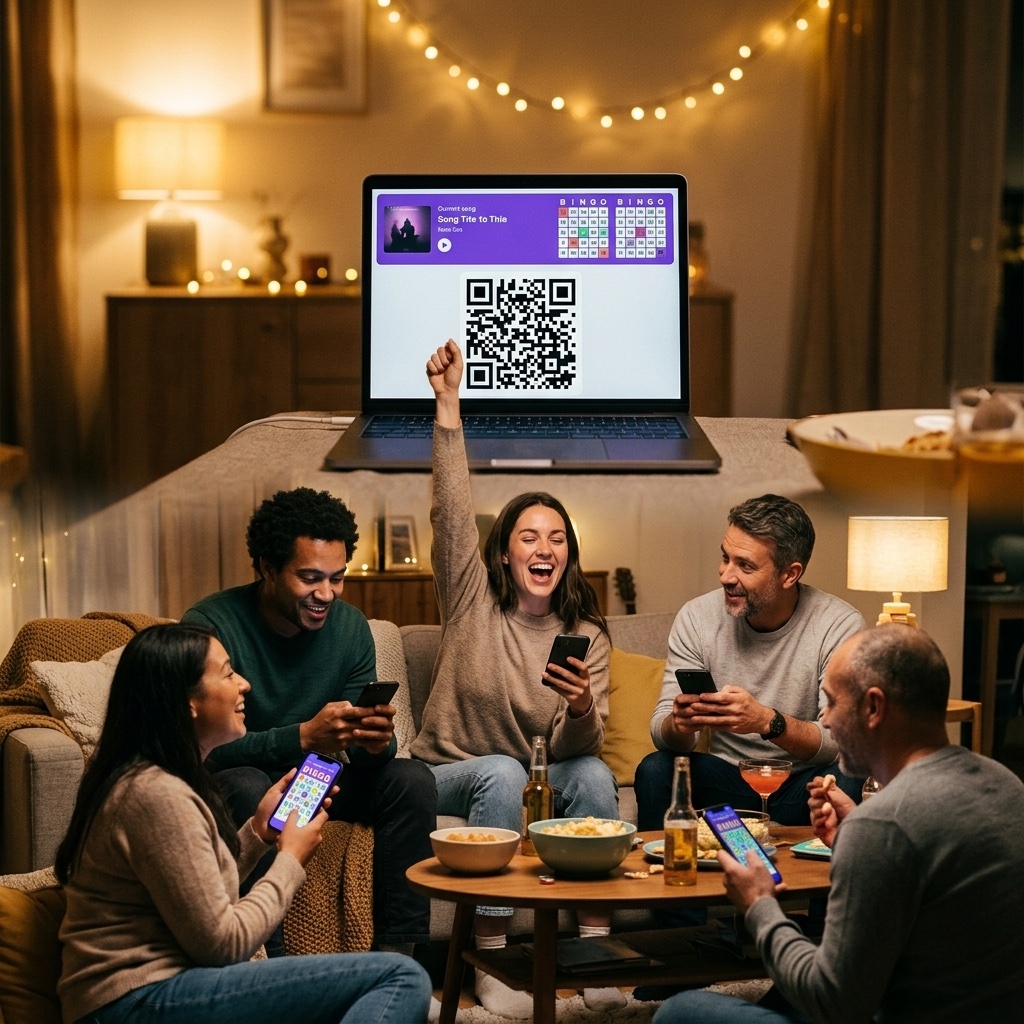
For groups that prefer it, create a multiplayer game and put the QR code on the screen or the table. Guests scan it, get a card on their phone and mark songs as they hear them; the app checks lines and full houses for you. You still play the music from the bar's own system. The multiplayer guide covers the host screen and the winner page.
Music and licensing
You play the songs from whatever your venue already uses: Spotify, a DJ laptop, a jukebox. Music bingo is public performance of music like any other night at the bar, so it falls under the venue's usual music licence; check with your local collecting society if you are unsure. BingoCreator only makes the cards; it does not stream or play music.
Cost
Zero, and not as a trial. No subscription, no per-game fee, no card limit, no watermark on the PDFs, no account required. Print the cards from your own printer and the only cost of the night is paper and prizes. If you later want to save your round playlists to reuse them, sign in with Google and they are kept in your list library.
Set up this week's music bingo
Three rounds, unlimited cards, host sheet and QR mode. Free for venues, no subscription.
Create the cards for tonight No account needed. Sign in with Google only if you want to keep your round playlists.Frequently asked questions
How many cards do I need for a night?
One per guest per round, plus about 20% spare. For a 60-seat room and three rounds that is around 220 cards. The generator makes up to 70 per batch, so that is one or two batches per round, each round with its own song list.
How long does a round take?
With 15 to 20 songs played for 25 seconds each, plus the calls and checks, a round runs 15 to 20 minutes. Three rounds with breaks fill an evening slot of about 90 minutes.
Can guests play on their phones?
Yes. Create a multiplayer game and share the QR code. Each guest gets a different card on their phone and the app verifies lines and bingos. Paper and phone players can share the same round if you print the same song list.
Do I need a licence to play the music?
The same one your venue already has for playing music. Music bingo does not add a special requirement; it is the venue's normal background or live music licence that covers it. BingoCreator does not play or stream any music.
Is there a fee per game or per venue?
No. Unlimited games, cards and players, free, with no subscription. There is nothing to sign, and no account is needed to generate cards.