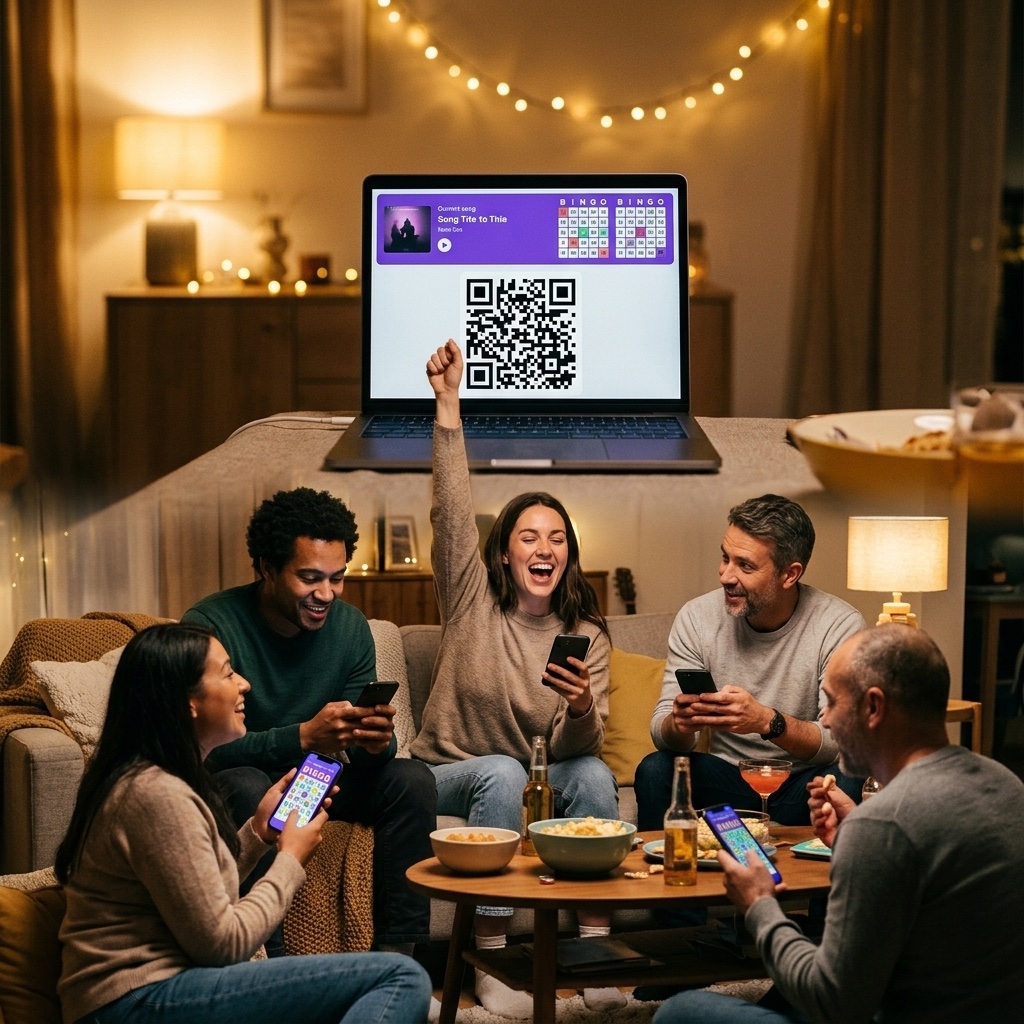
Music bingo used to need paper: print the cards, hand them out, collect them at the end. Online it needs one link. You make the cards, send the link, and every player gets their own card on their phone, whether they are sitting next to you or in another country. You play the songs, they mark their cards, and the app tells you who is close to a line and checks every bingo before you call it.
BingoCreator runs the whole game in the browser. Nothing to install for you or for the players, no accounts, no cost. It works for a team spread across time zones, for a family that cannot all be in the same house, and for a party where half the guests would rather not touch a paper card.
Start a game of music bingo online
Make the cards from a Spotify playlist or a ready-made list, press Play and send the link.
Open the free generator Works in the browser on any phone, tablet or computer. No sign-up.How a game works online
Make the cards
Paste a public Spotify playlist, pick one of the ready-made song lists or type the songs yourself. Generate one card per player, plus a few spare for whoever joins late.
Press Play and send the link
On the cards screen, press the green Play button. Send the game link to the group chat or the meeting invite. Each person opens it, types a name and gets a card. No app, no account.
Play the songs
In the same room, play them from a speaker. On a video call, share your computer's sound so everyone hears the same thing at the same time. The host screen has a play button next to each song if they came from Spotify.
Check the bingos
Players tap the squares on their phones. When someone claims a line or a full card, your host screen shows the claim and flags any square marked for a song that has not played yet. You approve or reject it.
For remote teams and office parties
A music bingo is one of the few team games that works when the team is in six countries: nobody has to explain the rules, nobody has to be good at anything, and a song everyone recognises in two seconds does more for the mood than another icebreaker question. We have seen games with forty players spread across North and South America, all joined from the same link.
What makes it practical for work is that it asks nothing of IT. The game is a web page, so it does not need an installation, an admin approval or a company account. The host shares the sound in the meeting, Teams or Zoom or Meet, and the players keep the call on the laptop and the card on the phone. Create the game the day before and put the link in the meeting invite: a game stays open for 24 hours, so everyone has joined before the call starts and the first ten minutes are not spent looking for it.
Attention on a video call is shorter than in a room. A 4×4 card with about 30 songs gives a round of fifteen to twenty minutes. Play two rounds with a different prize each rather than one long one, and play the chorus, not the intro.
Friends and family far away
The other common game is the family one: grandparents in another city, a cousin abroad, a video call that runs out of conversation after twenty minutes. Everyone joins from the family group chat, the host plays the songs with the sound shared, and the grandparents can play on a tablet or share a phone with a grandchild. At Christmas, the virtual Christmas music bingo page walks through exactly that, with the 50-song list already loaded.
Some in the room, some on the call
Most games are a mix: ten people around the table and three on a screen. They all join the same game from the same link. The ones at the table hear the music from the room, the ones far away hear it from the call, and the host screen shows all of them in one list, with a progress bar for each player. If someone insists on paper, print a card from the same generator and check it by hand when they shout.
Getting the music to everyone
The cards are on the phones; the music comes from you. In a room, a speaker. On a call, share your computer's sound, so the song reaches everyone straight from the source instead of being picked up by your microphone.
- Zoom: share your screen and tick Share sound before you confirm. Share the window that is playing the music.
- Microsoft Teams: when you share, turn on Include computer sound.
- Google Meet: present a Chrome tab instead of the whole screen, open the songs in that tab, and the tab's audio goes with it.
- Anything else: play the music from a speaker next to your microphone. It sounds worse, but for a song everyone knows, two seconds of the chorus is enough.
If your songs came from Spotify, the host screen has a play button next to each one, and opening it marks the song as called, so you do not have to tick and play separately.
Which songs to play
Online, pick songs people recognise from the first bars: the game is slower when players have to think. The top hits of 2026 work for a young team, the 80s and 90s lists for a mixed office, and the Christmas list for December. Your own public Spotify playlist works too: paste the link and the song list fills itself. A 4×4 card with 30 songs is a good round; a 5×5 with 50 songs is a long one.
New to the live mode? How multiplayer music bingo works covers the host screen, the leaderboard and claim checking in detail. Running it in a venue instead? See music bingo for bars.
Start a game of music bingo online
Make the cards from a Spotify playlist or a ready-made list, press Play and send the link.
Open the free generator Works in the browser on any phone, tablet or computer. No sign-up.Frequently asked questions
Is music bingo online free?
Yes. Making the cards, hosting the game and joining it are all free, with no subscription, no watermark and no account for anyone.
Do players need to download an app?
No. They open the link in the browser on their phone, tablet or computer, type a name and get a card. That is the whole sign-up.
How many people can play?
One player per card, and a game can have up to 70 cards, so up to 70 players. Generate a couple of spare cards. If every card is taken, the next person is told the game is full, and the host can add cards from the host screen to let them in.
How do the players hear the music?
The host plays the songs. In the same room, from a speaker. On a video call, by sharing the computer's sound: in Zoom, tick Share sound when sharing the screen; in Google Meet, present the Chrome tab that is playing the music; in Microsoft Teams, turn on Include computer sound when you share. The app does not stream audio itself.
Does it work on Microsoft Teams or Zoom?
Yes, with any video call. The game runs in the browser and is independent of the call: players keep the call on one screen and their card on the phone, or next to the call on a laptop.
Can some people play in the room and others remotely?
Yes. Everyone joins the same game from the same link. The people in the room hear the music from the speaker, the ones far away hear it from the call, and the host sees all the players in one list.
Can we play at a different time, not live?
No. The songs are played live and the host checks each claim as it comes. A game does stay open for 24 hours, so you can create it and share the link the day before, and everyone has joined before the call starts.
Do I need Spotify Premium?
No. Spotify is only a shortcut for building the song list: you can import a public playlist without logging in, load one of our lists, or type the songs by hand. During the game, play the music from whatever you like.